Eufy D605 Pet Camera Review: 1080p on a Budget
Quick Answer
The Eufy D605 Pet Camera hits the sweet spot for most pet parents. You get sharp 1080p video, two-way audio to calm your anxious pup, and smart alerts without breaking the bank. Against the rest of the pet camera field, this one delivers where it matters most—reliability and ease of use—at a price that won’t make you wince.
Our Top Picks
| Product | Best For | Key Spec | Price Tier |
|---|---|---|---|
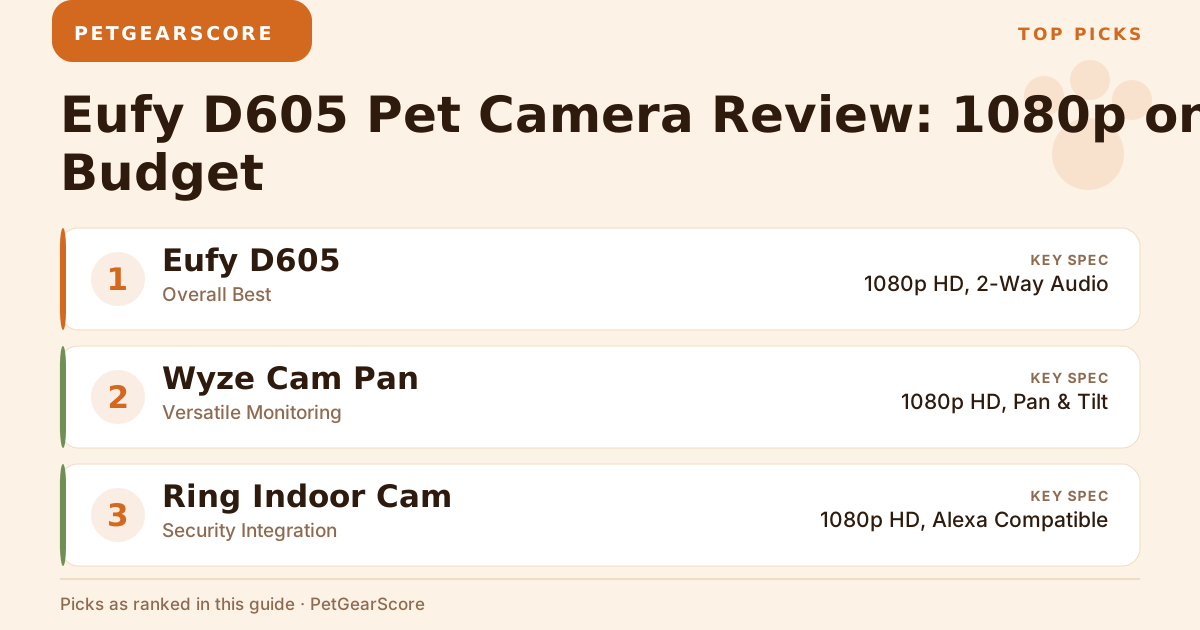
| Eufy D605 | Overall Best | 1080p HD, 2-Way Audio | Mid-range |
| Wyze Cam Pan | Versatile Monitoring | 1080p HD, Pan & Tilt | Budget |
| Ring Indoor Cam | Security Integration | 1080p HD, Alexa Compatible | Budget |
| Petcube Bites 2 | Treat Dispensing | 1080p HD, Treat Dispenser | Mid-range |
| Furbo Dog Camera | Dog Owners | 1080p HD, Barking Alerts | Mid-range |
Detailed Reviews
1. Eufy D605 Pet Camera
Overview:
This is my go-to recommendation for most pet owners. The D605 does the basics really well—clear video day and night, plus you can actually talk to your pet (results vary by how much your pet cares).
Key Specs: (from eufy’s D605 product briefing)
- Resolution: 1080p
- Field of View: 170 degrees, with 270-degree horizontal pan
- Treat tossing with three distance settings and an anti-clog design
- Two-way audio
- Infrared night vision via four IR sensors
- Storage: 16GB built-in, no subscription required
- Price tier: Mid-range
Pros:
- Video quality that actually shows details
- Setup takes about 5 minutes
- Local storage means no monthly cloud bill
- Audio clear enough for reassuring anxious pets
Cons:
- No cloud backup if the unit itself is damaged or stolen
- Treat range is fixed to three preset distances
Best For: Pet owners who want treat tossing and pan coverage without signing up for a subscription.
2. Wyze Cam Pan
Overview:
At this price point, the pan and tilt feature is honestly impressive. You can sweep the whole room remotely, which is great if your cat likes to hide in corners.
Key Specs:
- Resolution: 1080p HD
- Field of View: 110 degrees
- Pan/Tilt: 360 degrees horizontal
- Price tier: Budget
Pros:
- Ridiculously cheap for what you get
- Perfect for big rooms or multiple pets
- Works with most smart home setups
Cons:
- Gets cranky with weak Wi-Fi
- Some units have connection hiccups
Best For: Budget-conscious owners with larger spaces to monitor, or anyone tracking several pets spread across a few rooms.
3. Ring Indoor Cam
Overview:
If you’re already in Ring’s ecosystem, this makes sense. You might also be interested in our guide on automatic pet feeders. Otherwise, you’re paying extra for integration you might not use.
Key Specs:
- Resolution: 1080p HD
- Field of View: 130 degrees
- Smart alerts
- Price tier: Budget
Pros:
- Plays nice with Alexa
- Tiny footprint
- Solid video and audio quality
Cons:
- Monthly subscription for cloud storage (ugh)
- Fewer pet-specific features
Best For: Ring users who want everything in one app.
4. Petcube Bites 2
Overview:
This one’s fun—you can actually fling treats at your pet from work. My dog figured out the sound pattern pretty quickly though.
Key Specs:
- Resolution: 1080p HD
- Treat dispenser
- Night vision
- Price tier: Mid-range
Pros:
- Interactive treat tossing is genuinely entertaining
- Well-built and looks decent in your living room
- Clear two-way audio
Cons:
- Expensive for what you get
- Needs rock-solid Wi-Fi to work properly
Best For: Pet parents who want to spoil their fur babies remotely.
5. Furbo Dog Camera
Overview:
The barking alerts are actually useful—you get a notification the moment the barking starts. But honestly, you’re paying a premium for the brand name here. We put the two brands side by side in our Furbo vs Eufy comparison if you want the detailed spec fight.
Key Specs:
- Resolution: 1080p HD
- Barking alerts
- Treat dispenser
- Price tier: Mid-range
Pros:
- Barking detection works well
- Decent video quality
- App is pretty intuitive
Cons:
- Way overpriced compared to alternatives
- Advanced features locked behind a paywall
Best For: Dog owners with money to burn who want the “premium” option.
How We Evaluated
We compared these cameras on the things that actually matter:
- Performance: Video clarity and whether the audio doesn’t sound like a robot
- Noise: Nobody wants a camera that scares their pets with mechanical whirring
- Subscription Costs: Because monthly fees add up fast
- Coverage Area: How much of your room you can actually see
- Value: What you get for your money (some of these are honestly overpriced)
Buying Guide
Here’s what actually matters when shopping:
- Video Quality: 1080p is the minimum—anything less and you’ll squint at fuzzy footage.
- Field of View: Wider is better. 110 degrees catches most rooms decently.
- Two-Way Audio: Essential if you want to comfort anxious pets or tell them to stop eating your shoes — although the ASPCA’s guidance on separation anxiety is worth reading first, since a voice from nowhere calms some dogs and winds others up.
- Smart Features: Nice to have, but don’t pay extra unless you’ll actually use them.
- Budget: Be honest about what you need. The budget-tier camera might do everything you want.
FAQ
1. What is the best pet camera for monitoring behavior?
The Eufy D605 gives you clear footage without fancy distractions. For more options, check out our review of the Petcube Bites 2. Perfect for catching those mysterious living room disasters.
2. Are there pet cameras that dispense treats?
Yep—the Petcube Bites 2, the Furbo and the D605 itself all fling treats. Fun for about a week, then your pet expects treats every time they see you on camera.
3. Do I need a subscription for cloud storage?
Ring forces you into one. Others offer basic free storage. Read the fine print before buying, or start with our list of pet cameras that work without a monthly plan.
4. Can I use these cameras outdoors?
Nope, these are indoor models. You’d need weatherproof outdoor cameras, which cost more and are overkill for most pet monitoring.
5. How easy is it to set up these cameras?
Most take under 10 minutes with your phone. For those looking for a more comprehensive setup, consider our guide on smart pet products for apartment living. If you can order takeout through an app, you can set up a pet camera.
Recommendation
You don’t need a flagship-priced camera to get treat tossing. The Eufy D605 covers what most people need—clear video, pan coverage, treats on demand, decent audio and reliable alerts—without the premium price tag or a cloud subscription. Your pet doesn’t care about brand names, and neither should your wallet.